

Homelab Split-Horizon DNS: One URL, Two Networks
Published September 13, 2026ByConnor Abbas
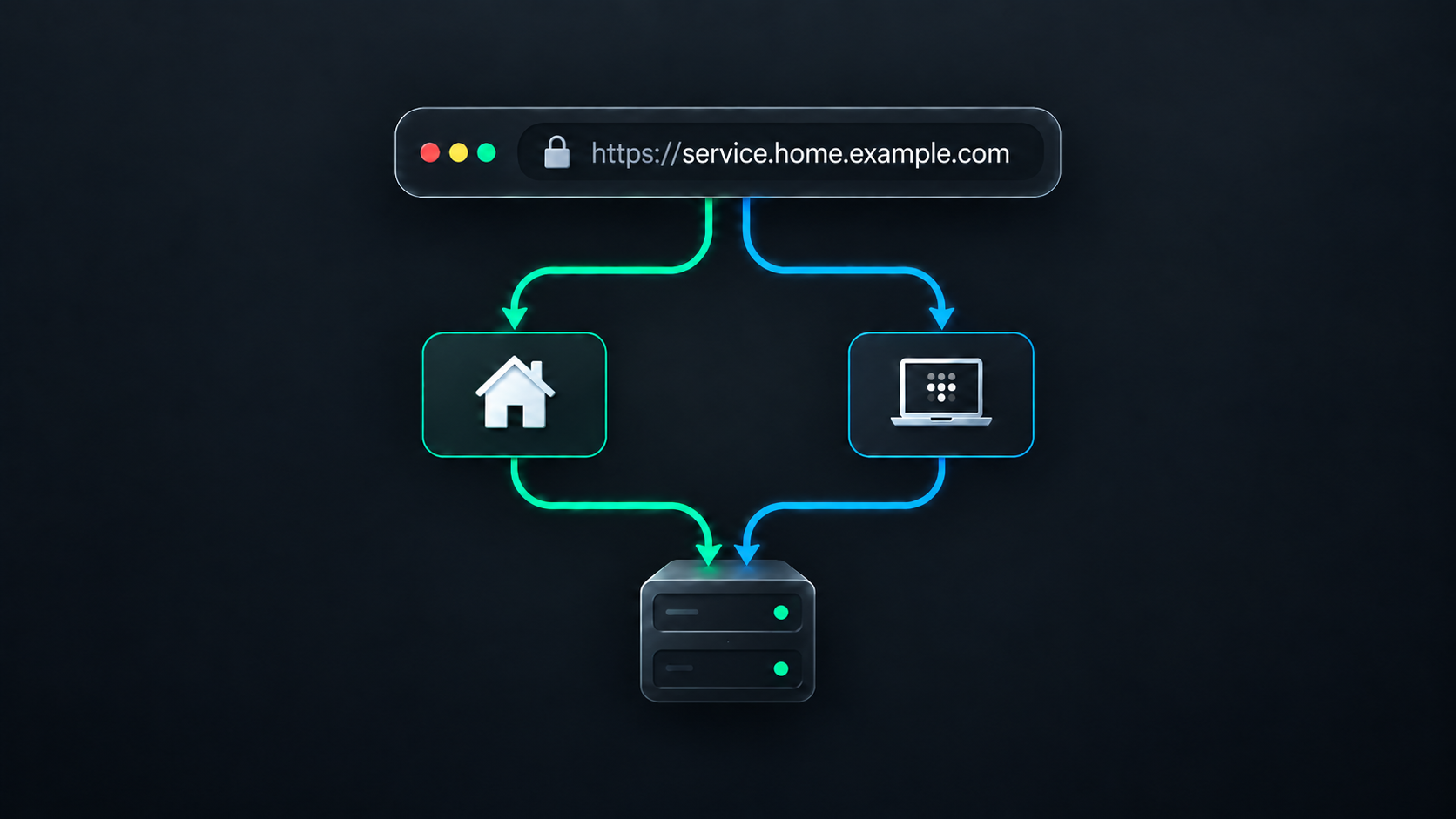
My homelab runs on a repurposed Lenovo ThinkPad with Ubuntu Server and Docker Compose. It hosts the usual collection of services that starts sensibly and then grows: Immich, Jellyfin, AdGuard Home, monitoring, file management, and a few Docker administration tools.
I wanted each service to have one normal HTTPS address no matter where I was. immich.home.605software.com should work on my couch, and it should still work when I am away from home and connected through Tailscale. I didn't want separate bookmarks, public web ports, or browser certificate warnings.
The setup sounds more complicated than it is. Each piece has one job:
- The router tells devices on my home network to use AdGuard for DNS.
- DNS sends local and remote devices to different private addresses.
- Tailscale sends lookups for my homelab domain to Cloudflare when I am connected remotely.
- Tailscale gives remote devices a private route back home.
- Traefik handles HTTPS and sends each hostname to the right container.
Put together, the request paths look like this:
At home: Browser -> AdGuard -> LAN IP -> Traefik -> Immich
Away: Browser -> Tailscale split DNS -> Cloudflare -> Tailscale IP -> Traefik -> Immich
Only the route to the server changes. Once the request reaches the server, Traefik and Docker handle it the same way.
DNS picks the route
On my home network, the router hands out my AdGuard Home instance as the DNS server through DHCP. Devices pick that setting up automatically when they join the network, so I don't have to configure each one by hand.
AdGuard has a wildcard DNS rewrite:
*.home.605software.com -> 192.168.1.100
192.168.1.100 is the homelab server's static LAN address. The wildcard means AdGuard returns that same address for Immich, Jellyfin, and anything else below home.605software.com. Local requests go straight across the LAN instead of taking a detour through Tailscale.
I don't advertise a public resolver as a secondary DNS server on the LAN. Clients don't always treat secondary DNS as a strict fallback, so they could skip AdGuard and get the remote answer instead. A second local resolver would be the better option if I wanted DNS redundancy.
At home, I disconnect my devices from Tailscale, so the router-provided AdGuard resolver handles these lookups. When I am away, I connect to Tailscale and its DNS configuration takes over the homelab domain.
In the Tailscale admin console under Network -> DNS, I added Cloudflare Public DNS as a nameserver and enabled Restrict to domain for home.605software.com:
Nameserver: Cloudflare Public DNS (1.1.1.1)
Restricted domain: home.605software.com
Tailscale calls this split DNS. A connected device sends only home.605software.com lookups to Cloudflare's resolver. Everything else continues through the device's normal DNS setup. The device also needs to have Use Tailscale DNS settings enabled for the rule to apply.
Cloudflare's resolver then finds the matching wildcard A record in my public DNS zone:
*.home.605software.com -> 100.x.y.z
This time the answer is the server's stable Tailscale address. Tailscale uses addresses from the reserved 100.64.0.0/10 range. Publishing that address in DNS doesn't make the server reachable from the public internet; a device still needs to be connected to my tailnet before it has a route there.
I host the record with Cloudflare DNS, but it's set to DNS-only. Cloudflare answers the lookup and then gets out of the way. It can't proxy traffic to a private Tailscale address, and I don't need it to.
The public record would usually resolve through whatever DNS server a remote network provides. The Tailscale rule makes that behavior predictable: whenever I am connected to my tailnet, lookups for the homelab domain go to Cloudflare and return the Tailscale address without changing DNS for anything else.
| Device state | Resolver | DNS answer | Path to the server |
|---|---|---|---|
| Home LAN, Tailscale disconnected | AdGuard | 192.168.1.100 | Directly over the LAN |
| Connected to Tailscale | Cloudflare 1.1.1.1 | 100.x.y.z | Through Tailscale |
This is the split-horizon part of the setup: one hostname, with a different answer depending on which DNS resolver receives the question.
There is one small consequence worth knowing. If I leave Tailscale connected while I am at home, its restricted nameserver can take precedence over AdGuard. The service still works, but the request may use the Tailscale address instead of staying on the LAN.
Both paths meet at Traefik
DNS gets the browser to the correct machine, but it can't choose a container. Every service points to the same LAN or Tailscale address, so the next handoff belongs to Traefik.
Traefik listens on the server's web ports and reads routing labels through its Docker provider. When a request arrives, it looks at the hostname, presents the HTTPS certificate, and forwards the request to the matching container.
I use the DNS challenge setup from my Traefik Compose project. It creates a shared network named traefik_proxy. Applications join that network only when Traefik needs to reach them.
Here is the relevant part of my Immich service:
services:
  immich-server:
    image: ghcr.io/immich-app/immich-server:release
    networks:
      - default
      - traefik_proxy
    labels:
      - traefik.enable=true
      - traefik.http.routers.immich.rule=Host(`immich.home.605software.com`)
      - traefik.http.routers.immich.entrypoints=websecure
      - traefik.http.routers.immich.tls.certresolver=letsencrypt
      - traefik.http.services.immich.loadbalancer.server.port=2283

...

networks:
  default:
  traefik_proxy:
    external: true
Those labels give Traefik everything it needs to complete the handoff. The Host rule matches the address in the browser, websecure handles the HTTPS request, letsencrypt selects the certificate resolver, and port 2283 tells Traefik where Immich is listening inside Docker.
Only immich-server, the web-facing part of Immich, joins traefik_proxy. PostgreSQL, Valkey, and its machine-learning service stay on the project's private default network. Traefik can reach the application without also getting access to every supporting container.
Traefik gets the certificate through DNS
The remaining piece is HTTPS. A normal Let's Encrypt HTTP challenge would require Let's Encrypt to connect to the server from the public internet, which would mean opening a port on my router.
Instead, Traefik uses the DNS-01 challenge. When it needs a certificate, Traefik uses a narrowly scoped Cloudflare API token to create a temporary TXT record. Let's Encrypt checks that record to confirm I control the domain, then Traefik removes it and stores the certificate.
I set DOMAIN to the internal zone:
DOMAIN=home.605software.com
The TLS options tell Traefik to request a certificate for both the base name and every service below it:
- --entrypoints.websecure.http.tls.certresolver=letsencrypt
- --entrypoints.websecure.http.tls.domains[0].main=${DOMAIN}
- --entrypoints.websecure.http.tls.domains[0].sans=*.${DOMAIN}
Cloudflare shows up in three places in this setup, and they are easy to mix together:
- Cloudflare's
1.1.1.1resolver handles the homelab lookups that Tailscale sends to it. - Cloudflare's authoritative DNS hosts the public wildcard record.
- Cloudflare's API lets Traefik create the temporary record needed for certificate validation.
These are all DNS tasks. Application traffic never actually passes through Cloudflare.
Following one request all the way through
When I open immich.home.605software.com, the whole setup comes together:
- My device asks its current DNS resolver for the address.
- At home, AdGuard answers with the server's LAN IP. When I am connected remotely, Tailscale sends the lookup to Cloudflare's resolver, which answers with the server's Tailscale IP.
- My device uses either the LAN or Tailscale to reach the server.
- The browser connects to Traefik over HTTPS.
- Traefik presents the wildcard certificate and matches the Immich hostname.
- Traefik sends the request across
traefik_proxyto port2283onimmich-server.
The browser sees the same hostname and trusted certificate in both places. The only part that changes is how the request reaches Traefik.
What keeps it private?
There is no port forwarding from my router to the homelab server. Devices at home can reach it over the LAN, while remote devices need to be authenticated to my tailnet. The public DNS record tells those devices which address to use, but it does not create a public route to that address.
Private networking still doesn't replace basic security. The Cloudflare token belongs in an ignored environment file or secret store, administrative services still need strong authentication, and access to the Docker socket gives Traefik significant control over the host. I also avoid publishing application ports unless a service genuinely needs one; Traefik is the normal path for all web traffic.
The result has been pleasantly uneventful. DNS picks the right private route, Tailscale carries remote traffic, Traefik handles certificates and routing, and Docker keeps the application pieces connected without exposing all of them. Most importantly, I only need one URL for each service, no matter where I happen to be.